SEC Financial Statement Extractor
Download the source code and follow the set-up instructions to pull financial statements directly from the SEC website for any stock with one shortcut.
1. Required Software
Ensure the following prerequisites are installed on your workstation:
2. Download the Files
Clone or download the repository directly from GitHub:
- get_financials.py (main script)
- my_headers.py (user-agent identity config)
- requirements.txt (package dependencies)
- scraper.command (optional Raycast launcher)
3. Install Dependencies
Open a terminal window inside the downloaded project directory and install the required packages:
pip install -r requirements.txtThis installs all necessary Python packages (requests, pandas, openpyxl, etc.) simultaneously.
4. Add Your SEC User-Agent Info
The SEC EDGAR system requires every automated request to declare a custom User-Agent identifying the user (Name and Email). This is standard SEC practice:
Open my_headers.py and replace the placeholder with your own name and email address:
headers = {'User-Agent': 'Your Name [email protected]'}Save the file. You will not need to edit it again after this step.
5. Run the Script
Launch the extraction script in your terminal:
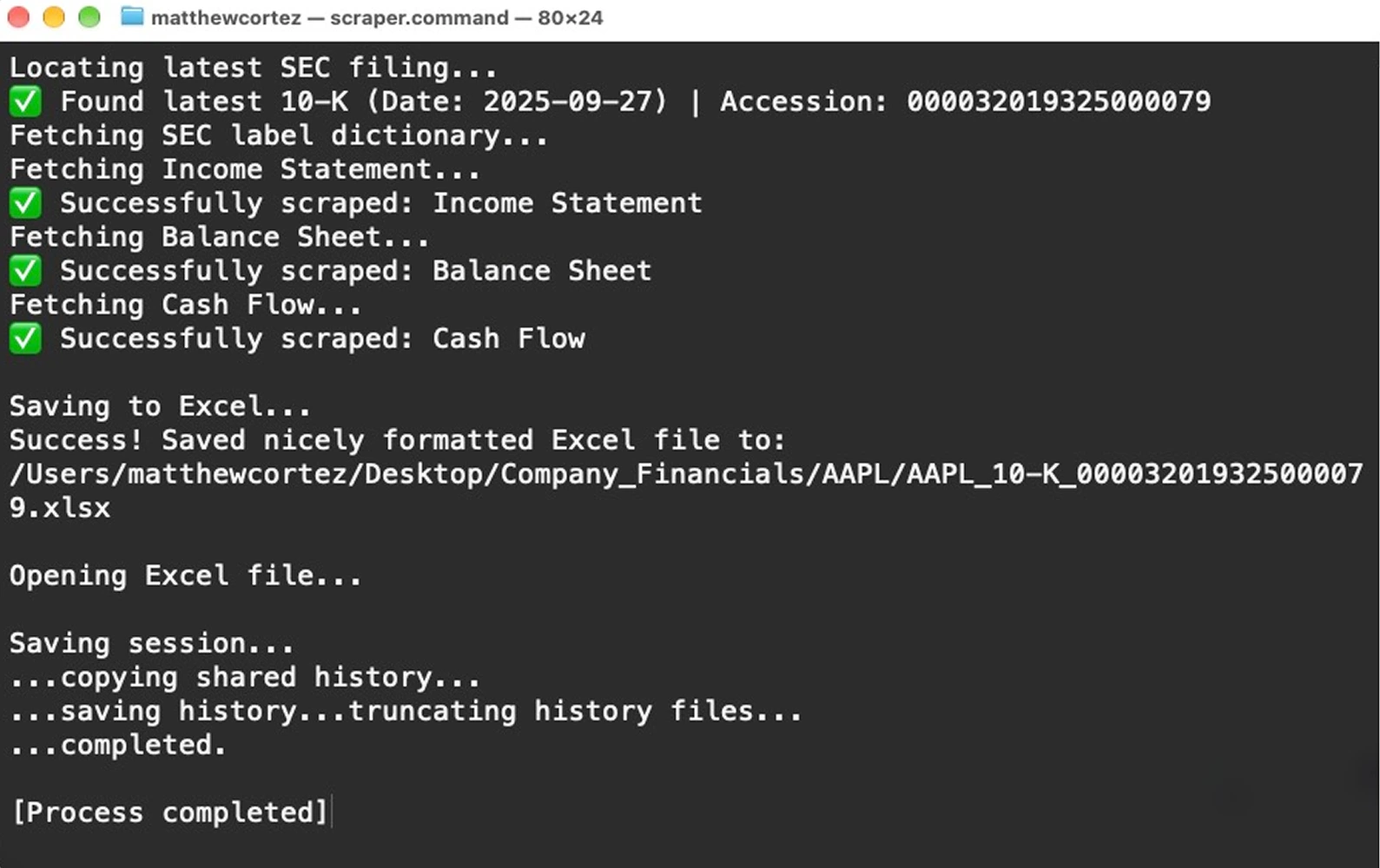
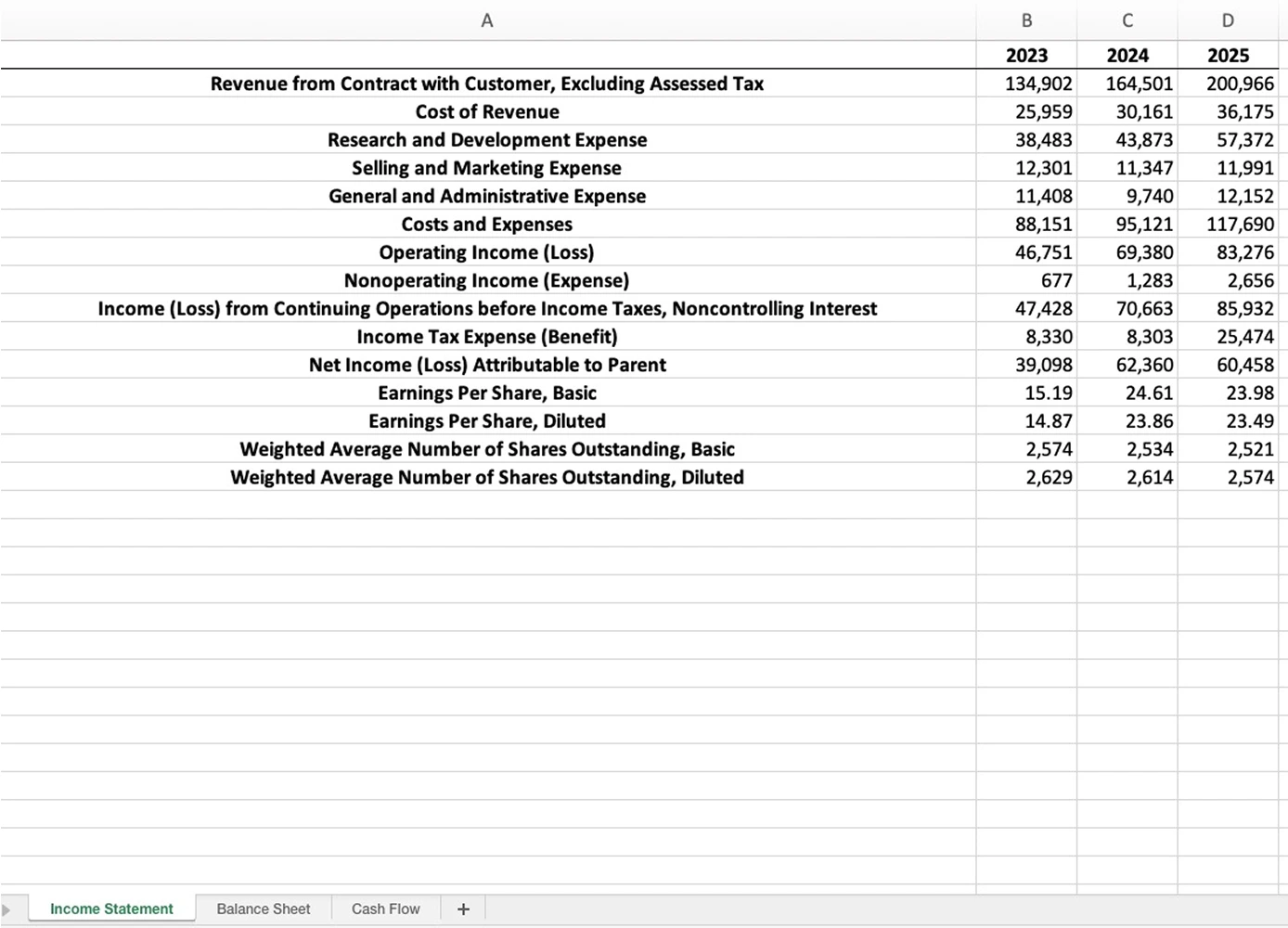
python get_financials.pyYou will be prompted for a stock ticker (e.g., AAPL, MSFT, NVDA) and whether you want annual (10-K) or quarterly (10-Q) statements. The output Excel file automatically saves to a Company_Financials folder on your Desktop.
6. Set Up a Keyboard Shortcut (Optional)
If you have Raycast installed on macOS, scraper.command lets you trigger the extraction pipeline from anywhere without touching a terminal:
- Open Raycast Settings → Extensions → click the + button → Add Script Directory, and select the folder containing
scraper.command. - Search for "Run SEC Scraper" in the Raycast search bar.
- Press ⌘K to open the Action Panel, choose Configure Command, select Record Hotkey, and record your desired shortcut.
Formatted Financials Within Seconds
Visual execution flow from terminal launch to structured financial tables in Excel: